Project Page
Cross-Platform Input & Intent Resolution Pipeline
Cross-platform input pipeline converting gestures and key inputs into consistent user intent.
Footage taken on iPhone X. Phone border added in post for illustrative purposes.
Key Highlights
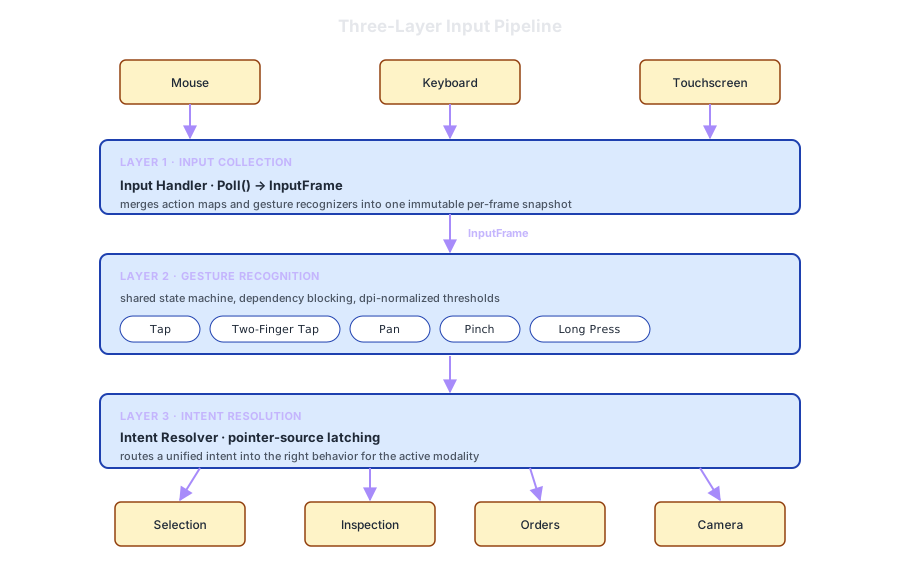
- Per-frame
InputFramesnapshot bundles keyboard, mouse, and touch so downstream code never branches on platform - Custom gesture recognizers with a shared lifecycle, dependency blocking, and dpi-normalized thresholds
- Same player intent maps cleanly across mouse and touch with modality-appropriate behavior
Input Collection
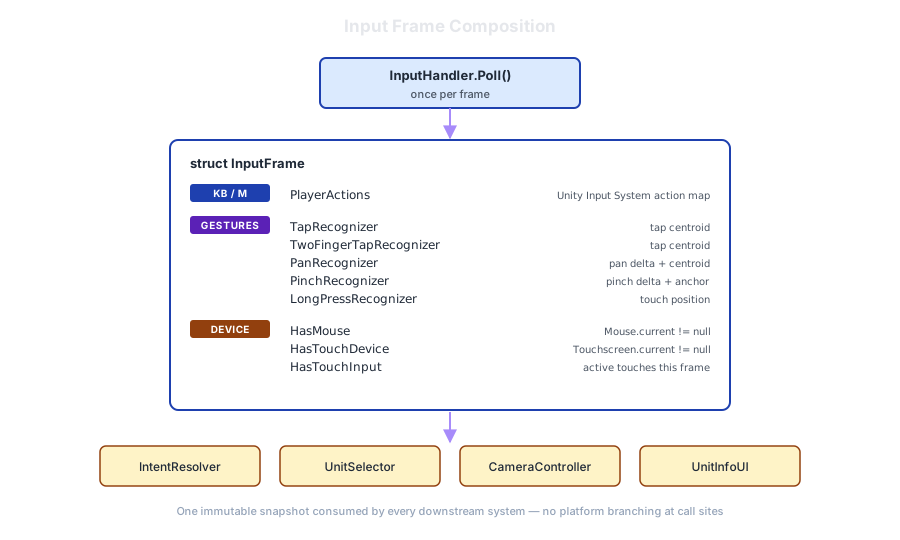
- One immutable per-frame snapshot merges Unity action maps and active gesture recognizers, consumed by every downstream system
- Device-capability flags ride along with the snapshot so consumers branch on capability without polling globals
Gesture Recognition
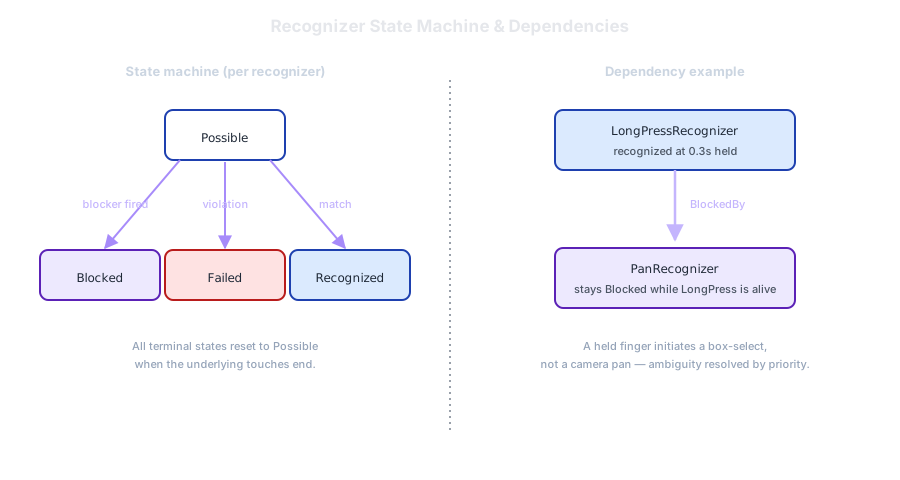
- Recognizers share a state machine and a dependency mechanism that prevents pan from firing while a long-press is alive
- Time, duration, and movement thresholds are dpi-normalized so a tap feels identical on a phone and a desktop monitor
Intent Resolution
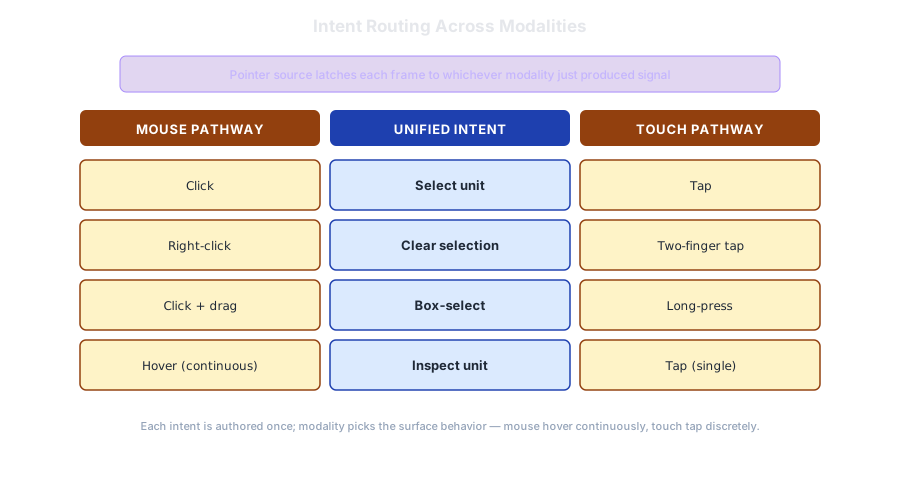
- Pointer source latches each frame to the modality that just produced signal, preventing double-fires when the player switches devices
- One high-level intent maps to two pathways — click and tap select, right-click and two-finger tap clear, drag and long-press open box-select — each authored once
- Inspection adapts to modality: mouse hover surfaces unit info continuously; touch inspection fires only on tap
Why This Matters
- Input differences collapse at the boundary, not in every feature, so the same code runs on PC and mobile
- New modalities like gamepad or stylus drop in by adding a recognizer or modifying action map